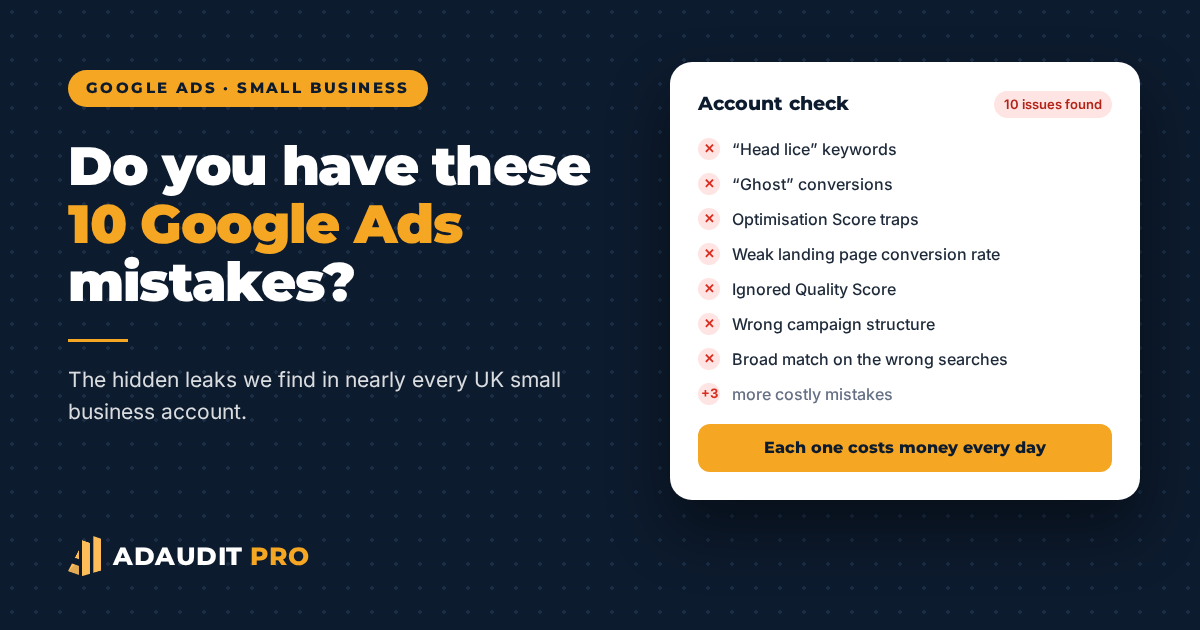
Do you have these Google Ads mistakes?
By AdAudit Pro ·
If you run Google Ads for your UK small business, you might be losing money without realising it. It’s not because your product is bad or your market is too tough. Often, it’s due to hidden mistakes that have been in your account since the start.
When we manage clients’ Google Ads accounts, we find these ten mistakes in nearly every small business account we check. Each mistake costs real money every day.
The 10 mistakes
Mistake 1 — Leaving "Head Lice" keywords unnoticed
We always start by checking the keyword list, since that’s where problems often hide. Some keywords seem harmless—low volume, low cost-per-click, and they look fine at first. But they quietly bring in irrelevant searches every day and send the wrong visitors to your landing page. You still pay for these clicks, even though they never turn into customers.
We call these "head lice" keywords. They’re hard to find unless you really dig into the data. Big companies can pay agencies to fix this, but small businesses often miss these keywords and keep paying for clicks that never lead to sales.
Mistake 2 — Creating "Ghost" Conversions
Google Ads will optimise for whatever you set as a “conversion.” If your tracking is set up wrong—like counting page views as leads, firing twice per visit, or tracking scrolling instead of purchases—the system just follows your instructions and won’t tell you there’s a problem.
You pay for the clicks. The algorithm gets the credit. You wonder why enquiries are down.
Mistake 3 — Falling into Optimisation Score Traps
Google regularly nudges account holders to turn on "auto-apply recommendations." Some business owners do this once, forget about it, and never look again.
Once you turn this on, Google can change your bids, add keywords, broaden your match types, and move your budget around—all without asking you. It’s all done to improve your Optimisation Score.
Some of these changes help Google make more money, not you.
Mistake 4 — Ignoring the Landing Page Conversion Rate
It’s not your fault. Even enterprise-level software makes the same mistake.
Google Ads brings paid visitors to your site, but turning them into sales is up to you. Your landing page’s conversion rate affects your cost of sales. If your conversion rate goes from 1% to 2%, your sales double without spending more.
You paid to get them there. The landing page should convert them instead of sending them back.
Mistake 5 — Ignoring Quality Score
Quality Score is Google’s way of rating how relevant your ad and landing page are to a search. If your score is below 6 out of 10, you’ll pay more per click than a competitor with a better ad, even if you both bid the same.
It takes time to improve your Quality Score, so many business owners are too busy to work on it. As a result, they end up paying double or even triple for ad space.
Mistake 6 — Building the Campaign with a Wrong Structure
If you don’t know how Campaigns, Ad Groups, and Ads work together, your campaigns might be wasting money.
Google Ads won’t point out problems with your campaign structure. It just runs things as they are, even if your campaigns compete, keywords overlap, or your audience is too broad. As long as you keep paying, Google doesn’t mind.
Mistake 7 — Accepted a "Recommendation" to Spend Faster Than Your Sales Come In
Google Ads surfaces "recommendations" in the interface with green progress bars and persuasive copy: "Get +73.7 conversions by investing £87.73." Many business owners simply accept them without reading the small print.
Some recommendations are helpful. Others just make you spend more without improving your results.
Mistake 8 — Broad Match Keywords Matching to Completely Wrong Searches
Broad match is the default keyword type in Google Ads. It lets Google decide which searches show your ad. This often means your ad for "office cleaning London" might show up when someone searches "how to clean a keyboard at home."
You are paying for it either way.
Mistake 9 — Your Google Analytics Is Not Tracking What You Need
Setting up Google Analytics is far more than pasting a code into your website. It depends on how many domains visitors need to go through before purchase, and how to identify the purchase action. Your Google Analytics may tell you about traffic, but it can't tell you what visitors do on your website.
Google Analytics and Google Ads should work together to improve your ads. But they’re often linked without being checked. Analytics sessions often don’t match Ad clicks, and important events for your bidding strategy might be tracked incorrectly or not at all.
Mistake 10 — Running Ads “Say No” Strategy
Because of the way Google Ads works, your ads might show up for searches that have nothing to do with your business. You need to set up a Negative Keywords strategy to tell Google which keywords to avoid. If you don’t, you’ll get lots of clicks but no sales.
What Does It Actually Cost to Fix This?
You have two choices. Both can work, but they differ in cost and speed.
Option 1 — Hire a Google Ads Agency
A UK agency usually charges £500 to £1,500 per month to manage a small business Google Ads account, on top of your ad spend. That’s £6,000 to £18,000 a year in management fees alone, before you even pay for any clicks.
Most agencies ask for a 3 to 12 month contract and charge a setup fee of £250 to £2,500. They also manage many accounts at once, so your account may not get the attention you expect.
The percentage-of-spend model, where the agency charges 10–20% of your monthly ad budget, can be a problem for small businesses. The agency makes more money when you spend more, even if you don’t get better results.
Option 2 — An AdAudit Pro Diagnosis Report: £55
If you prefer to manage your own Google Ads, a tool like AdAudit Pro can do the job for much less. It connects to your Google Ads and Google Analytics accounts, checks all ten issues above using AI, and gives you a diagnosis report with a prioritised action plan within 24 hours.
If fixing even one of the ten issues above saves you £55 in wasted monthly spend, the report pays for itself in less than three weeks.
Plus, AdAudit Pro gives you two bespoke reports on
- What to do to rank higher in search engines
- What to do so that AI like ChatGPT, Claude, or Gemini knows your business exists.
So, with one payment, you improve both your Paid Traffic and Organic Traffic at once.
Frequently Asked Questions
Do you make any changes to my Google Ads account?
No. AdAudit Pro connects to your account in read-only mode and never modifies, adds or removes anything. Your campaigns stay exactly as they are.
How long does the report take?
The automated diagnosis runs in minutes. A senior specialist reviews it before releasing it to you, so delivery is typically within 24 hours of connecting your account.
Do I need technical knowledge to act on the report?
No. Each issue in the report comes with a plain-English explanation of what it is, why it matters for your budget, and a step-by-step fix you can do yourself in Google Ads. If you prefer, we also offer expert help for any fixes you don’t want to handle on your own.
What if my account has none of these problems?
Then the report will tell you that, and you will have peace of mind that your budget isn’t leaking. In our experience, fewer than 5% of SME accounts we review have no fixable issues.
Ready to Find Out What Your Account Is Actually Doing?
Order your AdAudit Pro diagnosis report for £55. There’s no contract, no changes to your account, and you’ll get results within 24 hours.
AdAudit Pro is a trading name of George Own Ltd. Agency pricing data is sourced from publicly available UK market research (2024–2026). Figures are averages and vary by account complexity, industry, and provider.